
Membakar lemak tubuh secara efektif memerlukan kombinasi dari berbagai strategi yang mencakup pola makan yang sehat, latihan fisik yang teratur, manajemen stres, dan gaya hidup yang seimbang. Berikut adalah beberapa cara efektif untuk membakar lemak tubuh:
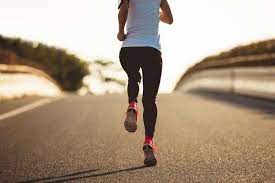
- Latihan Kardiovaskular: Latihan kardiovaskular, seperti lari, bersepeda, berenang, atau berjalan cepat, membantu membakar kalori dan meningkatkan metabolisme tubuh. Latihan kardiovaskular yang dilakukan secara teratur membantu meningkatkan efisiensi tubuh dalam membakar lemak sebagai sumber energi.
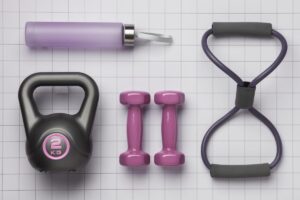
- Latihan Kekuatan: Latihan kekuatan, seperti angkat beban atau latihan dengan berat badan tubuh, membantu membangun massa otot. Semakin banyak massa otot yang Anda miliki, semakin tinggi metabolisme tubuh Anda, bahkan saat Anda sedang istirahat. Ini berarti bahwa Anda akan membakar lebih banyak kalori secara keseluruhan, termasuk ketika Anda tidak sedang berolahraga.
- Latihan Intensitas Tinggi (HIIT): Latihan HIIT melibatkan periode latihan intensitas tinggi yang diikuti oleh periode istirahat atau latihan ringan. Metode ini telah terbukti efektif dalam membakar lemak tubuh lebih efisien dalam waktu yang lebih singkat dibandingkan dengan latihan kardiovaskular tradisional. Latihan HIIT juga dapat membantu meningkatkan metabolisme tubuh untuk beberapa jam setelah latihan.
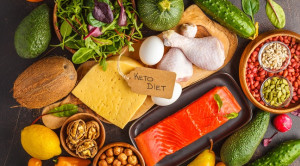
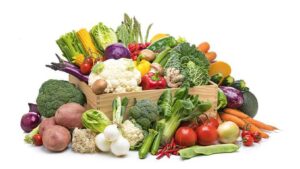
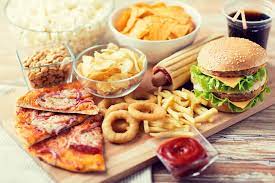
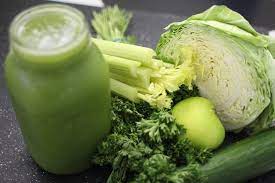
- Pola Makan Seimbang: Pola makan yang seimbang dan sehat sangat penting dalam upaya membakar lemak tubuh. Fokuslah pada makanan yang tinggi serat, rendah lemak jenuh, dan rendah gula tambahan. Konsumsi protein berkualitas tinggi juga penting untuk mempertahankan massa otot dan meningkatkan rasa kenyang. Hindari makanan olahan dan makanan tinggi kalori yang rendah nutrisi.
- Menciptakan Defisit Kalori: Untuk membakar lemak tubuh, Anda perlu menciptakan defisit kalori dengan mengkonsumsi lebih sedikit kalori daripada yang Anda bakar. Ini bisa dilakukan dengan mengontrol porsi makanan, memilih makanan yang rendah kalori tetapi kaya nutrisi, dan meningkatkan aktivitas fisik. Penting untuk menciptakan defisit kalori yang sehat dan moderat untuk menghindari penurunan berat badan yang terlalu drastis atau tidak sehat.
- Manajemen Stres: Tingkat stres yang tinggi dapat memengaruhi produksi hormon yang mengatur nafsu makan dan metabolisme tubuh. Hormon stres, seperti kortisol, dapat menyebabkan peningkatan nafsu makan dan penumpukan lemak, terutama di area perut. Manajemen stres melalui teknik relaksasi seperti meditasi, yoga, atau olahraga dapat membantu dalam upaya menurunkan berat badan dan mengurangi lemak tubuh.
- Tidur yang Berkualitas: Tidur yang cukup dan berkualitas penting untuk kesehatan dan penurunan berat badan yang optimal. Kurang tidur dapat mengganggu produksi hormon yang mengatur nafsu makan dan metabolisme, yang dapat menyebabkan peningkatan nafsu makan dan penumpukan lemak. Usahakan untuk mendapatkan 7-9 jam tidur setiap malam dan menciptakan rutinitas tidur yang nyaman.
- Konsistensi dan Kesabaran: Penurunan berat badan dan pembakaran lemak adalah proses yang membutuhkan waktu dan konsistensi. Penting untuk tetap konsisten dalam menjalankan program latihan dan pola makan Anda serta memiliki kesabaran untuk melihat hasil. Jangan mengharapkan perubahan drastis dalam semalam, tetapi tetap berkomitmen untuk mencapai tujuan Anda dalam jangka waktu yang realistis.
Dengan menggabungkan berbagai strategi ini dalam gaya hidup sehari-hari Anda, Anda dapat mencapai penurunan berat badan yang sehat dan pembakaran lemak tubuh yang efektif. Jika memungkinkan, berkonsultasilah dengan ahli gizi atau pelatih pribadi untuk mendapatkan panduan yang lebih spesifik dan sesuai dengan kebutuhan Anda.